
Pegel Skill's desktop companion
A look at the desktop companion being developed with Pegel Skill, from saved roles to the posting and CV behind each application. The local assistant reads the same selected history.
Pegel's job-search skill has a desktop companion in development. The standalone skill is public. The desktop companion described below is still a private release candidate, with signed downloads pending.
The companion can reopen an older application with its retained posting and files, even after the vacancy has changed or the CV has been edited.
Saved roles and job filters
In the companion, a saved role sits in the same search as the employer's requirements. A candidate can filter for saved machine-learning roles that do not require German, or leave out roles already marked as not for them. There is no need to search the board first and then work through a separate saved list.
Pegel gets listings from employers' public applicant-tracking feeds. The standalone skill searches the public API; companion mode reads its accepted local catalogue and fetches employer descriptions when selected.
The employer's description is kept verbatim. Salary appears only when disclosed. An unknown German requirement stays unknown, and a company-level visa signal needs checking against the vacancy.
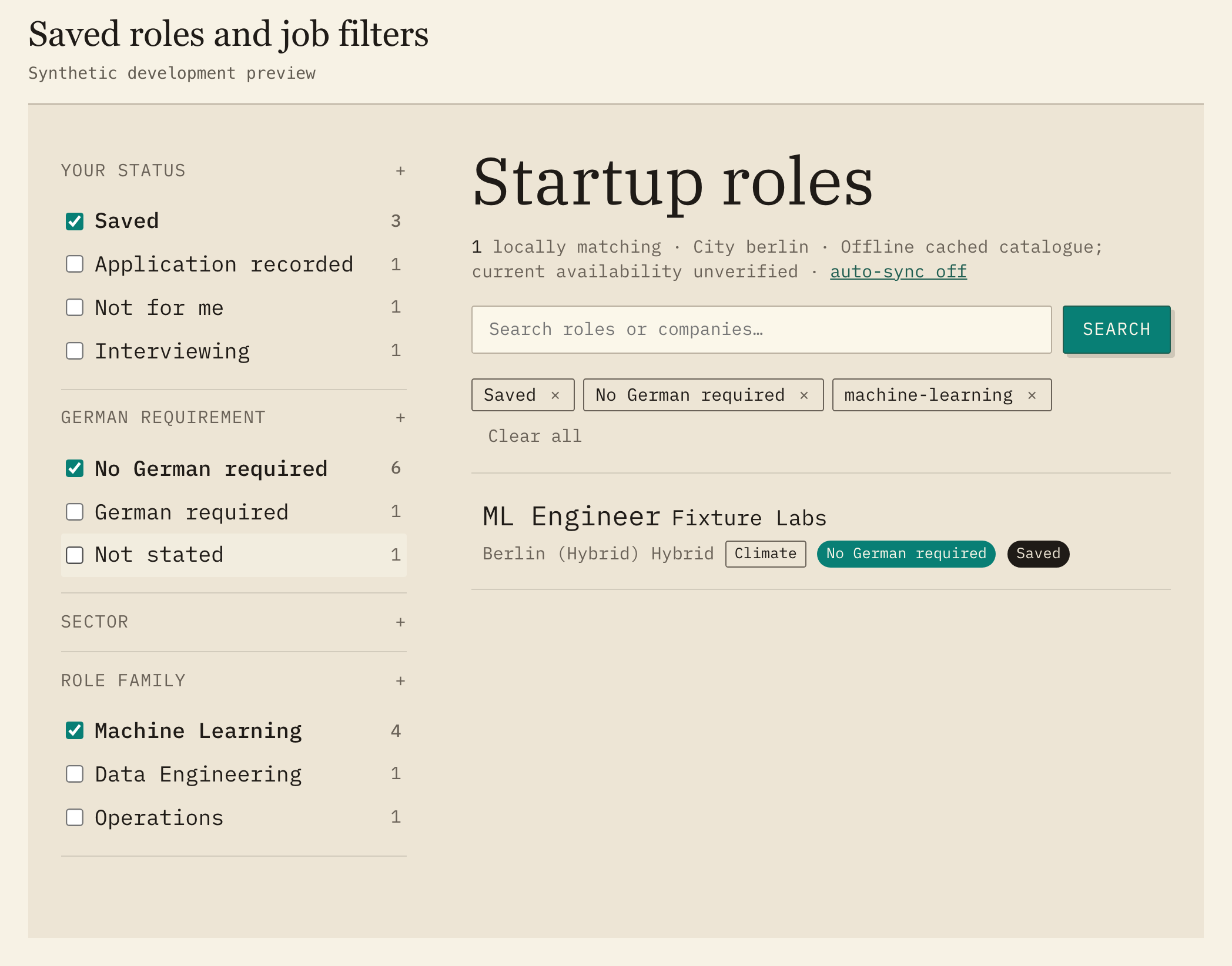
The actual frontend, using synthetic test records and a mocked native integration. Saved, No German required and Machine Learning are selected together. Open the image for the full-size view.
What was sent with the application
A CV changes during a search. The file on the desktop may differ from the one sent two weeks earlier. The companion can copy selected submitted files into the application's private local record. Editing the original afterwards leaves that copy intact.
The record can also retain the posting wording selected for that application. If Pegel later observes a rewritten description, the companion can compare the versions without replacing the earlier record. It can only keep versions it has seen.
An application entered with a date keeps that precision. No time is added to make the entry look more exact. Older entries with uncertain precision are labelled. Correcting a record creates a linked replacement and preserves the earlier evidence and its files.
The candidate records their own submission. Pegel does not apply on their behalf or verify that the employer received it.
The assistant can compare a selected CV with a role before applying. The assessment points to supporting source material and separates it from inference or missing information. After reviewing the exact proposal, the candidate can keep the assessment with the chosen application record. It is not an ATS score or a hiring probability. Missing experience cannot be invented to improve the match.
Employer replies
An application might be 34 days old, with the last employer contact 28 days ago. That is an illustrative example, but the distinction matters when deciding whom to follow up with. Editing a note does not restart those 28 days. The timeline uses recorded employer contact dates; local edits have their own entries.
Replies can be pasted or imported from a selected EML file. The original message is kept word for word. Sender details are stored separately from any recorded rejection reason. Before saving, the candidate reviews the proposed status change and any possible duplicate. The companion does not scan a connected mailbox.
The timeline can show reply metadata without opening each private message. Older message bodies remain available in the archive. An application with no logged reply remains unanswered in the record; silence alone does not make it a rejection.
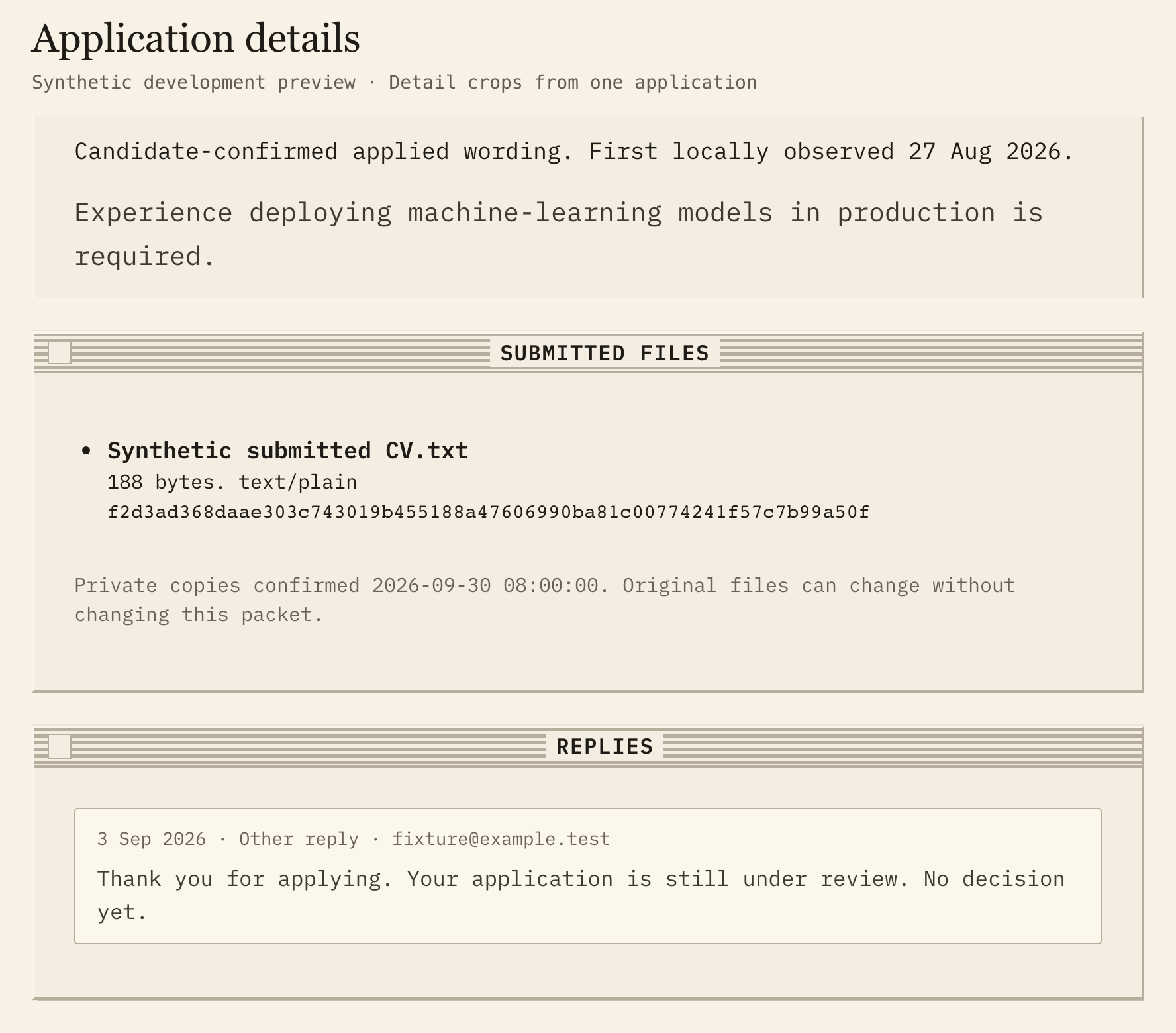
Three details from the same synthetic application, arranged together. The native integration is mocked. The reply says the application is under review, with no decision yet.
The local assistant
The desktop window and a local assistant use the same explicitly selected history. A role saved in the window can be discussed in the next conversation. Both show which database is selected.
The assistant needs local file and command access for this. Pegel's public read-only MCP connection can search public job data, but cannot read the desktop history.
Ask the local assistant to record a reply and it first shows exactly what it proposes to save. Approval comes in a later message, tied to that proposal and the selected history. If another edit changes the record in the meantime, a fresh preview is needed. A blanket instruction to approve future changes is not confirmation. In the desktop window, edits have a review step and a Save action.
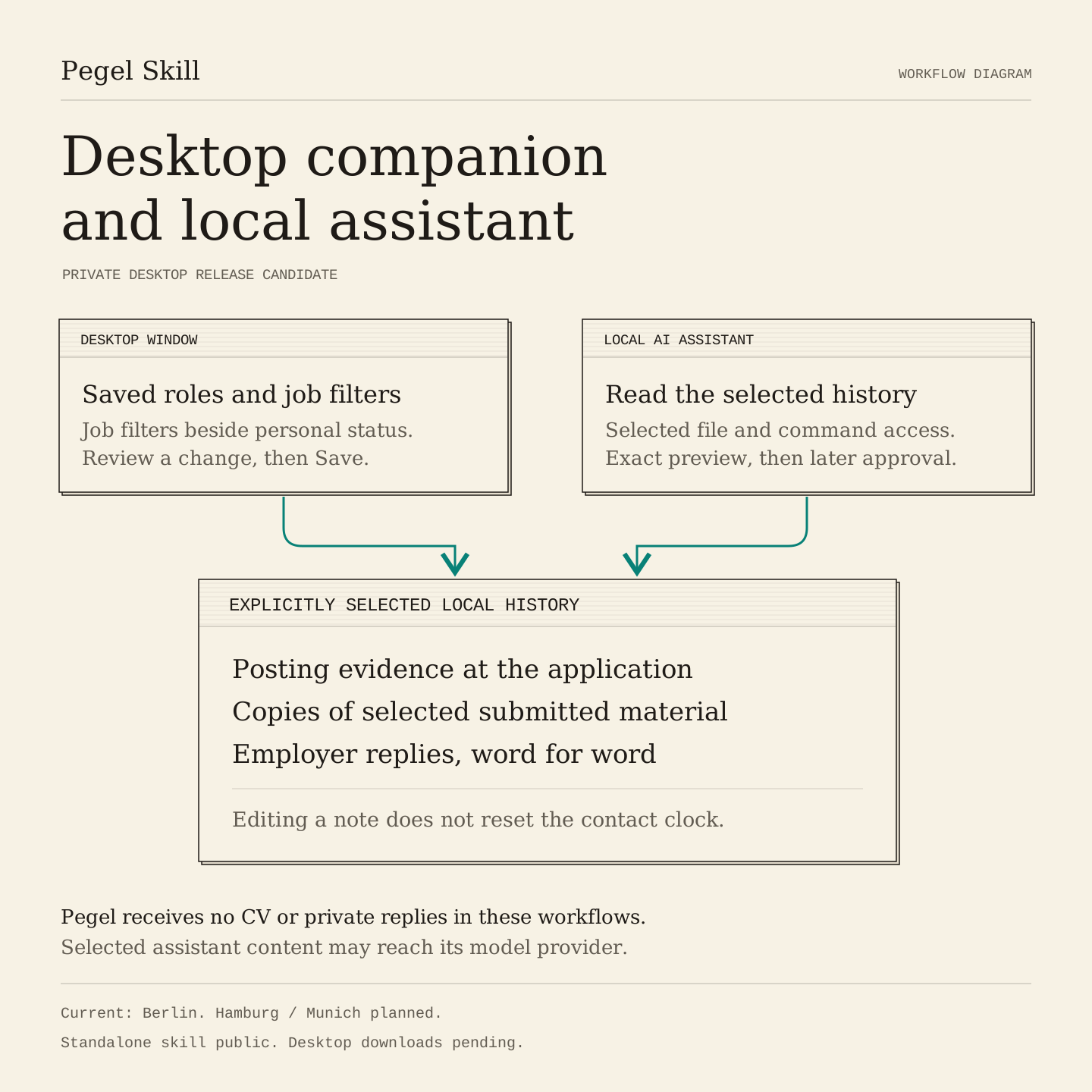
A diagram of the local workflow. The public MCP connection does not have access to this history.
Application history stays on the machine. The companion has no Pegel account or content telemetry, and these workflows do not send CVs or private replies to Pegel. Content selected for an AI conversation may still be processed by the assistant's provider. The candidate should check the host and account settings being used; Claude Code's data documentation covers its provider policies.
The cached catalogue and retained history can be read offline. A refresh or an uncached description needs a connection. Backups can include the selected history and its retained files. Restore writes to a new location, leaving the source in place.
Downloads and city coverage
Berlin is the current public coverage. Hamburg and Munich are planned. Other cities can follow as their source coverage is established.
The companion records each city's coverage state. Planned coverage has no invented job count. If a refresh fails, the last accepted catalogue stays visible with its age; another city's search is not silently filled with Berlin results. A role listed in more than one market keeps the same identity and application history when the city view changes.
The companion source stays private inside Pegel. Signed installation checks and hosted delivery checks still need to be completed, followed by the candidate study and staged pilots. Local tests do not establish whether the companion improves hiring outcomes.
The public skill and its installation guide are on Pegel's skill page. Desktop availability will be updated there after release qualification.
New Berlin startup roles in your inbox, every morning, Monday to Saturday. Pulled straight from company career pages, filtered to exactly what you ask for. Select at least one filter to create an alert. Browse roles and choose a filter or enter a search term.
Double opt-in, one-click unsubscribe, no tracking. See privacy for the details.